
Download Vavoo TV – free streaming, IPTV app, Android, TV shows, movies, online video, German content, offline streaming, APK download
Overview
Vavoo TV is a desktop and mobile-based video streaming application designed to provide users with access to a wide range of audio-visual content, including TV shows, movies, and other media. The software functions as an IPTV platform, enabling users to stream content online with minimal setup. It was originally developed for the Vavoo Box device and later adapted for Android smartphones, making it accessible on mobile platforms.
The application offers free access to its streaming library, though it includes advertisements that may interrupt the viewing experience. While the software is not available on the Google Play Store, it can be downloaded directly from its official website in APK format. Users are advised to enable the 'Unknown Sources' option in their device settings to install the app.
Vavoo TV is particularly suited for individuals seeking unrestricted access to entertainment content without a subscription fee. It is especially relevant for users interested in German-language media, as much of the available content is in German. The app also supports offline viewing, allowing users to download content for later playback.
The developer information is not provided in the available data.
Key Features & Capabilities
- Free Streaming Access – Vavoo TV provides unrestricted access to a vast library of movies, TV shows, and other video content without requiring a paid subscription.
- IPTV Functionality – The software operates as an IPTV application, delivering live and on-demand video streams over internet connections.
- Offline Viewing Support – Users can download content for offline playback, enabling access to media without an active internet connection.
- Customizable Interface – The app features a user-friendly layout that can be tailored to individual preferences, enhancing usability across different user levels.
- Multi-language Content – A significant portion of the media library is in German, though users may also find content in other languages.
- APK Installation – The application is distributed via APK file, allowing installation on Android devices without requiring the Google Play Store.
These features make Vavoo TV suitable for users who prioritize cost-free entertainment and flexibility in content consumption. The interface design is noted for its simplicity, allowing users with limited technical experience to navigate and stream content effectively. The ability to download videos for offline use adds significant value for users with inconsistent internet access or those who prefer to watch content without data usage.
User Interface, Workflow & Performance
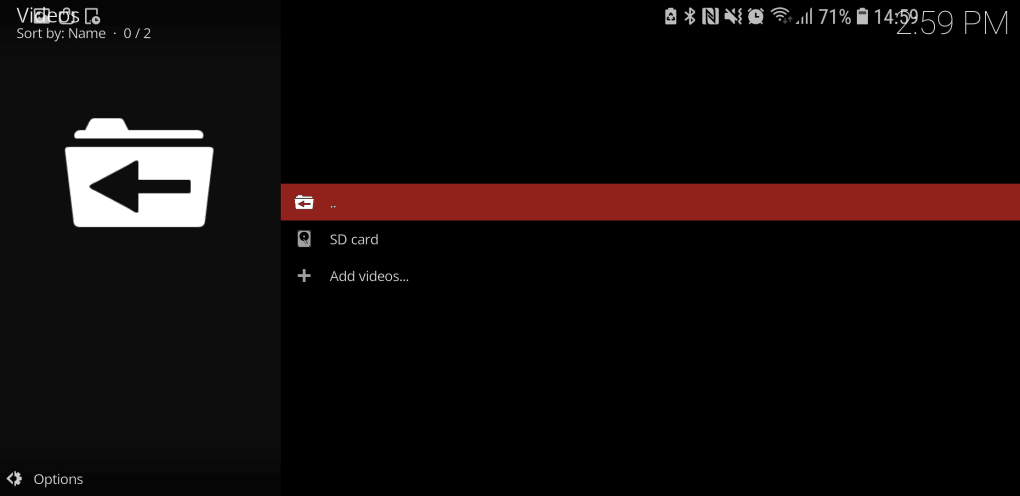
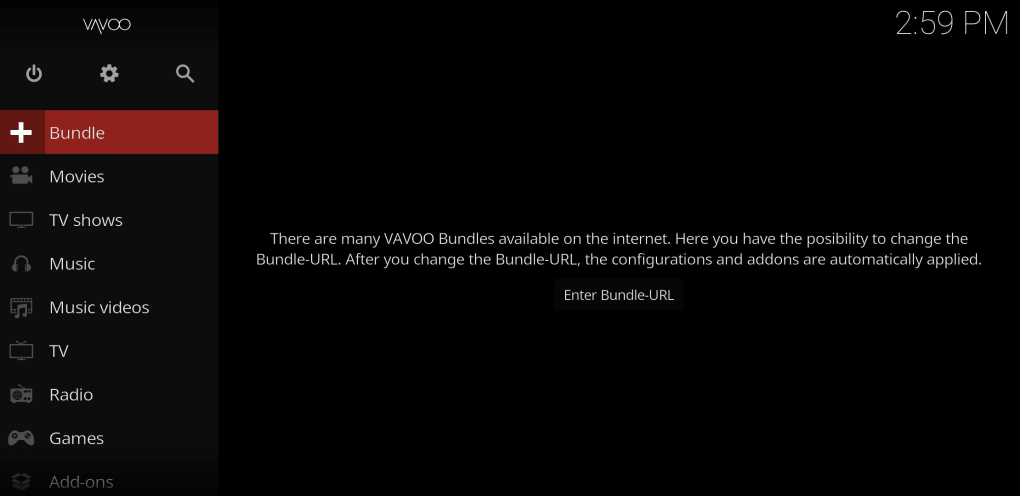
The user interface of Vavoo TV is described as simple and intuitive, resembling the layout of Kodi in terms of navigation and structure. This design choice enhances accessibility for users familiar with similar media center applications. The workflow is streamlined, allowing users to browse, search, and play content with minimal steps.
The app’s performance is expected to be consistent with typical Android streaming applications, though exact performance metrics such as CPU or RAM usage were not specified. The developer did not provide detailed information about resource consumption or stability under prolonged use. General software behavior suggests that performance may vary based on device capabilities and internet speed.
Users are advised to maintain a stable and high-speed internet connection to prevent buffering during streaming. The app’s operation is primarily dependent on network conditions rather than local processing power. The presence of ads may impact user experience, potentially affecting perceived responsiveness during playback.
However, no reports of crashes or instability were mentioned in the provided data.
Compatibility & System Requirements
Vavoo TV is compatible with Android devices running Android 5.0 and above. The application is not available for iOS devices, limiting its accessibility to Android users only. The installation file size is 18.5 MB, indicating a lightweight footprint.
The developer did not specify exact hardware requirements, such as minimum RAM or processor type. It is recommended that users ensure their devices meet the minimum Android version requirement before attempting installation. The app is distributed as an APK file, which must be installed manually after enabling the 'Unknown Sources' option in device settings.
Compatibility with newer Android versions is assumed, but no official confirmation was provided. The developer did not list any specific device limitations or supported screen resolutions. Users should verify their device’s compatibility with the Android 5.0+ requirement before proceeding with the download.
Pros and Cons
Pros
- Free to download and use with no subscription fee
- Supports offline streaming for on-the-go viewing
- Simple, intuitive interface suitable for beginners
- Extensive library of TV shows and movies available
- Available for Android devices without requiring Google Play Store
- Customizable settings for personalized experience
Cons
- Contains frequent advertisements that may disrupt streaming
- Most content is in German, limiting appeal for non-German speakers
- Not available on iOS or other platforms
- Requires manual APK installation, which may deter less tech-savvy users
- App is not available on the Google Play Store due to policy restrictions
- Developer information is not publicly disclosed
FAQ Section
Is Vavoo TV safe to download and use?
Yes, Vavoo TV is considered safe to use when downloaded from its official website. However, users should ensure they are accessing the legitimate source to avoid potential malware or unauthorized modifications.
Can I use Vavoo TV without an internet connection?
Yes, the app supports offline streaming. Users can download content while connected to the internet and watch it later without requiring an active connection.
Is Vavoo TV available on iOS devices?
No, Vavoo TV is currently only available for Android devices. There is no official version for iOS or other operating systems.
Do I need to pay to use Vavoo TV?
The core application is free to download and use. However, in-app purchases are available for additional features or content, though these are not required for basic functionality.
How do I install Vavoo TV on my Android device?
To install Vavoo TV, enable 'Unknown Sources' in your device’s security settings, download the APK file from the official website, and open the file to begin installation. During setup, you may be prompted to change the bundle URL from 'Vavoo.tv' to 'Vavoo.to'.
Final Thoughts
Vavoo TV stands out as a compelling option for Android users seeking free access to a broad range of video content, particularly those interested in German-language media. Its straightforward interface, offline playback capability, and lack of subscription fees make it an attractive alternative to paid streaming services. While the presence of ads and the language limitation may affect user experience for some, the app remains functional and accessible for its target audience.
The absence of official availability on the Google Play Store is a notable drawback, but the APK distribution method is well-documented and secure when sourced correctly. For users who value unrestricted streaming and are comfortable with manual installation, Vavoo TV delivers a solid experience. Download Vavoo TV now and enjoy endless entertainment without a subscription.





.png)

